Create a token
https://support.atlassian.com/atlassian-account/docs/manage-api-tokens-for-your-atlassian-account/
Log in to https://id.atlassian.com/manage-profile/security/api-tokens.
Select Create API token.
Give your API token a name that describes what it does.
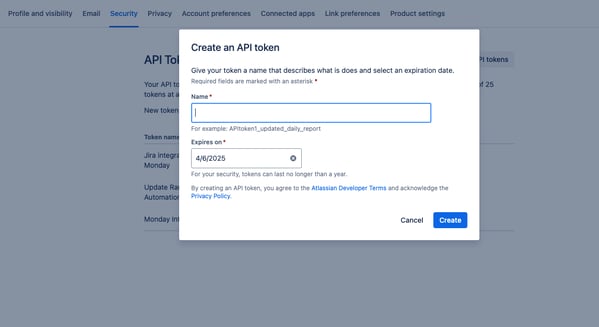
Select an expiration date for the API token.
Token expiration is 1 to 365 days.
Select Create.
Select Copy to clipboard, then paste the token to your script, or save it somewhere safe.
Prepare the Token For Use in a Script
echo -n "USERNAME@DOMAIN.com:TOKEN" | base64